Kilo Free
€0
Free to use
One live account, current usage limits and reset times. Your daily check-in, covered.
Your AI coding fuel gauge.
Know what’s left. See what’s next.
Kilo brings your AI limits and reset times into one clear view, right on your iPhone.
 Claude Code
 Codex& more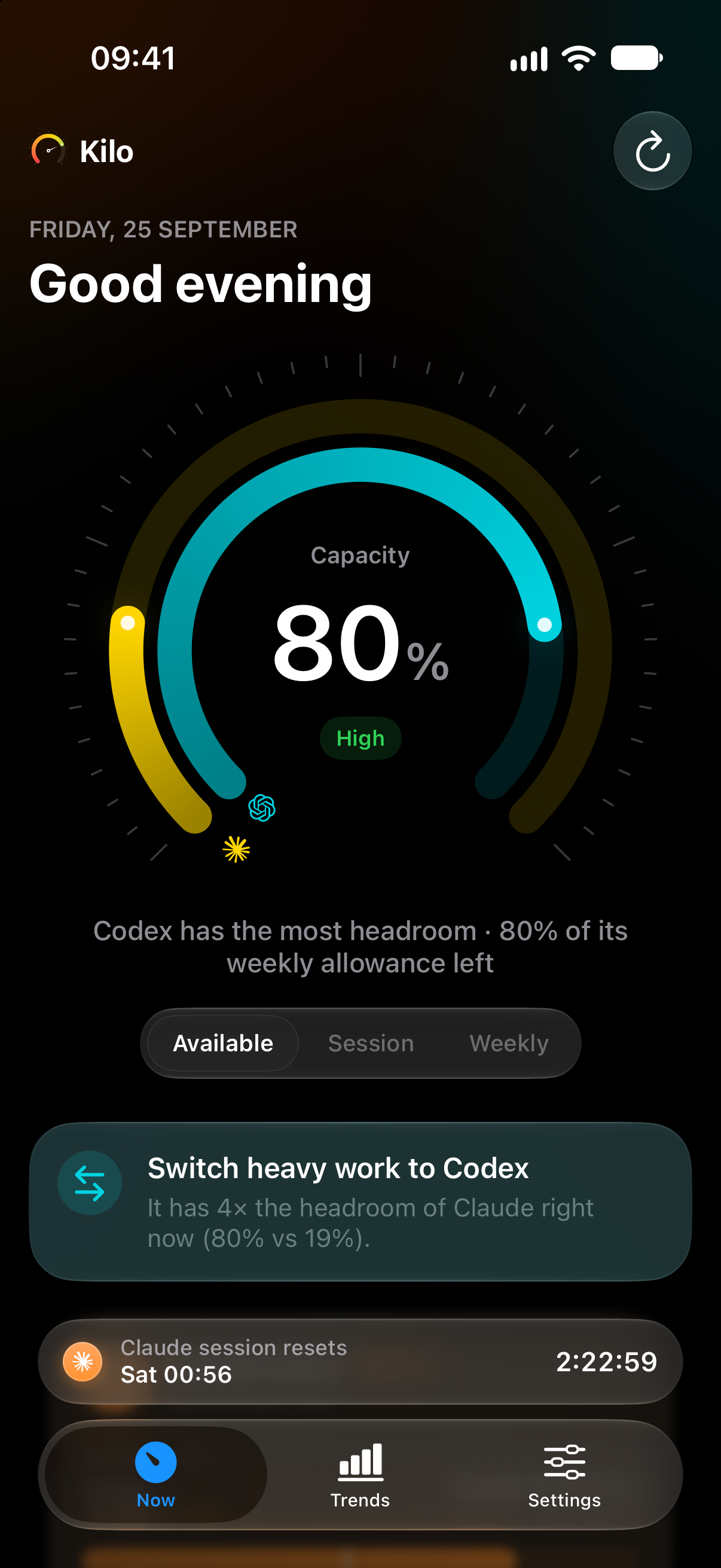
Your tools work together.
Their limits should, too.
One place to check your headroom, understand your pace, and choose the right tool for the work ahead.
A little clarity. A lot more flow.
Session and weekly limits, brought together. Kilo shows which tool has the most room, so you can make the next move without checking every account.
A percentage only tells half the story. Kilo looks at your recent pace to estimate whether your allowance will last until the next reset.
See your busiest hours, compare your tools, and spot the weeks you reach your limits. Up to 90 days of history makes the bigger picture easier to see.
Forecasts and extended history are Kilo Pro features.
Estimates change with your usage.
A glance is all it takes.
Your allowance belongs somewhere you can see it.
On your Home Screen. On your Lock Screen. In the moment.
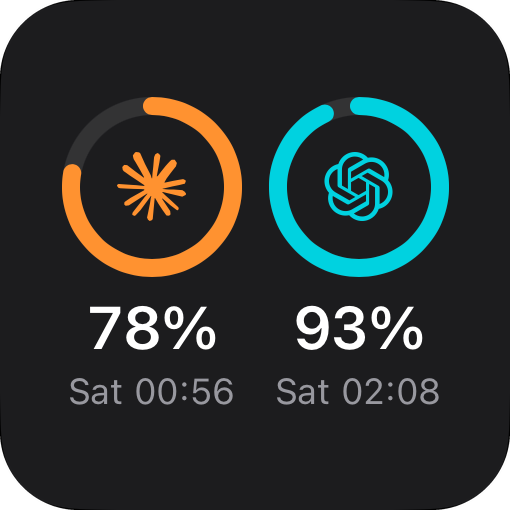
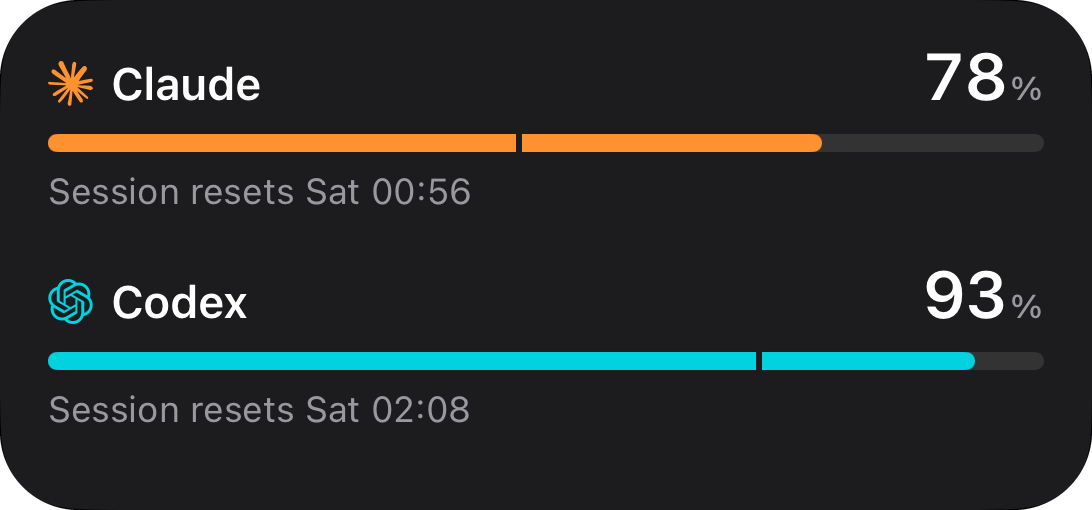
A personal utility should stay personal. Kilo connects directly to your providers, with no Kilo server in between.
One tool or your whole toolkit.
Choose what works for you.
€0
Free to use
One live account, current usage limits and reset times. Your daily check-in, covered.
€9.99
per year
Every Pro feature, billed yearly. A one-week free trial for eligible subscribers.
€14.99
once Regular lifetime price €24.99
Pay once and keep Pro. Launch pricing for early supporters.
Every Pro plan includes multiple tools and accounts, burn-rate forecasts, smart alerts, Live Activities, Lock Screen widgets and 90 days of history.
Prefer monthly?
€1.99 / month
Planned launch prices in EUR, matching the app’s current pricing. Final local prices and trial eligibility are shown in the App Store. Subscriptions renew automatically unless cancelled.
Kilo includes integrations for Claude Code, Codex, GitHub Copilot, Cursor, Z.ai and OpenRouter. Each tool exposes different information, from session and weekly limits to credit balances. Some integrations are in beta and may change as providers update their services.
No. The iPhone app connects directly to your providers. Some connection methods involve copying a credential from your computer during setup, but your Mac does not need to remain online.
The free app supports one live account and basic usage monitoring. Pro adds multiple tools and accounts, burn-rate forecasts, smart alerts, Live Activities, Lock Screen widgets and up to 90 days of history. Choose annual, monthly or the Founder Lifetime launch offer.
Forecasts are estimates based on recent readings, not a guarantee of future availability. Widgets update within iOS background refresh limits. Kilo shows when information was last updated so you can judge how current a reading is.
Your AI coding fuel gauge. Made for iPhone.
Coming soon to the App StoreKilo is in development. Availability will be announced at launch.